Website Design AND App Development for Kids

Practical classes where older children build real websites and mobile app-style projects they can share.

From using apps to building them

By nine or ten, a lot of children have moved past “how do I make the cat move?” and started wondering how the apps on their phone work.
This is where they find out. In our website design and app development classes, older children learn how real websites and apps are planned, designed, coded and tested. They pick up genuine coding and design skills and use them to build professional-looking digital projects they can share with friends and family.
It is a step up from beginner coding, but the language stays plain and the support stays close. Nobody needs to arrive already fluent in anything.
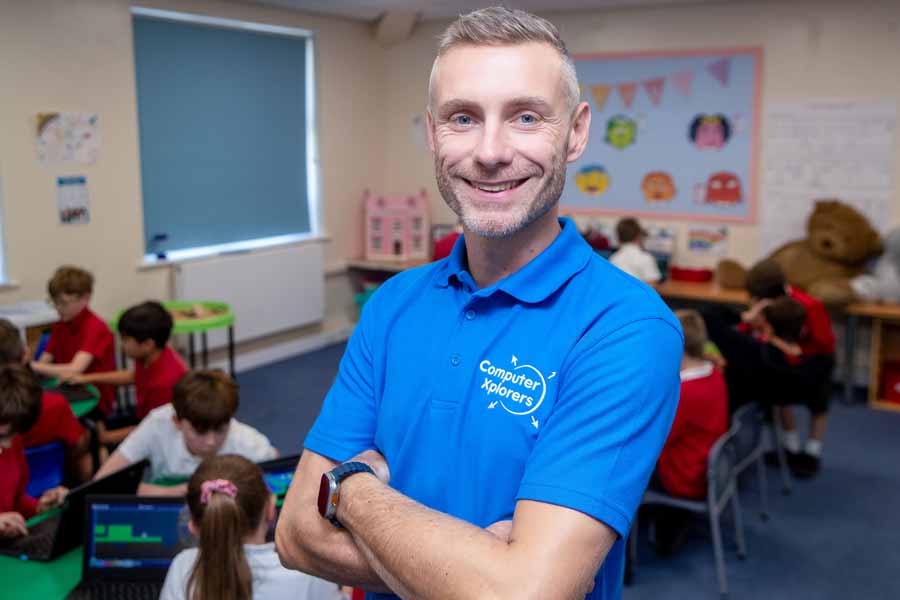
Adult male in a blue Computer Xplorers shirt helping a young boy in a red sweater with a laptop.
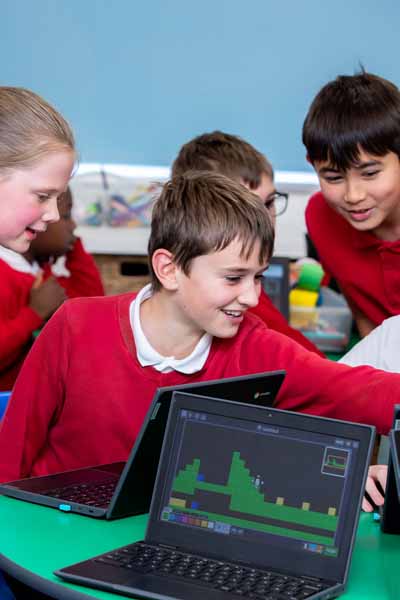
Two children seated at desks using computers with a retro-style platform video game displayed on both monitors.

Website and App Building for Children

This activity is built for children aged 9 to 13 who are ready to move beyond beginner coding and start making the real thing.
Instead of following a fixed exercise, children work on proper digital projects. They design and build websites, create mobile app-style projects, and think about layouts other people can navigate. They add interactive features, test how it all behaves, and get their work to the point where it can be published andshared.
It is the difference between learning to code and using code to make something.

App Development for Kids

App developmentfor kids is really an exercise in thinking like a designer as much as a coder.
Children learn how digital products get made: how an idea is planned, designed, built and then tested until it works properly. They map out screens, place buttons, decide what happens when someone taps them, and follow a simple user journey from start to finish. Where they form part of the session, tools like App Lab and Thunkable let children put app projects together and see them run, so the ideas stay concrete rather than theoretical.
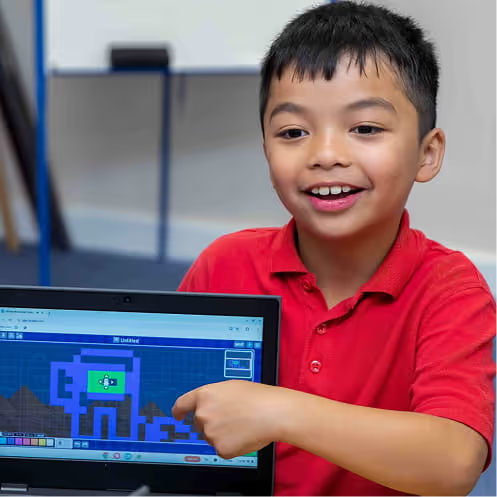
Child using a laptop with a visual programming interface on screen, sitting at a desk with a red Angry Birds water bottle.
Two children seated at desks using computers with a retro-style platform video game displayed on both monitors.

What Children Learn in Website Design and App Development

Every session ends with something built, so the sills come from doing rather than being told.
Children learn website design and page layout, and how to add app-style interactive features that respond to a user. They get to grips with the basics of HTML, CSS and JavaScript, and meet UI and UX basics: the practical business of making a site or app that people can find their way around.
Along the way they practise design thinking and problem-solving, and they test, improve and publish their work. The result is real confidence in creating digital projects they are happy to share.

Tools Children May Explore

We pick tools for what they let children build, not for the names on the screen.
HTML and CSS are where most children start,using them to build web pages and then style them so they look the way theyimagined. JavaScript comes in where appropriate, adding the interactivity thatmakes a page respond to whoever is using it. For app projects, App Lab giveschildren a straightforward way to build screens and interactions, and Thunkablelets them put together mobile app-style experiences they can try out forthemselves.
Which tools your child uses depends on their age, the session type andtheir ability level, so the toolkit grows with them.
Child using a laptop with a visual programming interface on screen, sitting at a desk with a red Angry Birds water bottle.
Two children seated at desks using computers with a retro-style platform video game displayed on both monitors.

Who Are Website Design and App Development Classes For?

This activity is designed for children aged 9 to 13, and suits those who enjoy coding, technology, design, apps, websites, problem-solving or building digital things.
Children do not need to be expert coders to join. A bit of curiosity about how websites and apps work goes a long way, and everything is guided step by step. This is the more structured end of what we do, so it tends to suit older children who are ready to see a bigger project through from first idea to finished thing.

How Our Website Design and App Development Sessions Work

Children learn by building the project, not bywatching a demonstration of it.
Sessions are practical and project-based. Children are guided through planning an idea, designing how it should look, coding it, testing what happens and improving it until it behaves.
There is an instructor on hand for the moments when something stubbornly refuses to work, which is most sessions and entirely the point. You will find these classes across several formats: local classes, school clubs, holiday workshops and online classes
Child using a laptop with a visual programming interface on screen, sitting at a desk with a red Angry Birds water bottle.
Two children seated at desks using computers with a retro-style platform video game displayed on both monitors.

Website and App Projects Kids Can Create

The clearest way to picture this activity is to look at what your child will actually make.
Children build simple websites, design mobile app screens, and create interactive buttons, menus and features that do something when you use them. They explore user-friendly layouts, and use HTML, CSS and JavaScript to put their projects together. They test and improve as they go, and where it fits the session, publish their work so they can share it with friends and family.
These skills also connect outwards, feeding into coding & programming, game design, digital creativity and robotics & engineering.

Find App Development Classes for Kids Near You

Our app development for kids and website design classes run in selected locations across the UK, delivered by local teams who know their area. Whether you are after a weekly kids coding class, a school club or a holiday workshop, there is a good chance there is something happening near you.
Local classes, clubs and workshops vary from place to place, so the easiest way to see what is on is to check your nearest location. Find your local team and see which website design and app development classes are available near you.
VIEW ALL LOCATIONS
Group photo of a diverse team of 21 adults posing in a conference room with Computer Xplorers banners and a screen in the background.

Why Choose ComputerXplorers for Website Design and App Development?

We have spent years working out how to make coding click for children, and it shows in how this activity is pitched.
Our classes are led by people who are good with children first and technical second, which matters even more once the material gets more advanced. Activities are hands-on, matched to age and ability, and built around real projects rather than abstract exercises.
Children come away with practical digital skills, sharper problem-solving and something they can actually show people. Best of all, they stop being people who simply use apps and websites, and start understanding how they are designed and built.
Explore More Technology Activities for Kids
Website and app development is one door into a much bigger world of technology. If your child is keen to explore further, take a look at more of our activities. If you would like to get started at home first, download the free Coding Starter Kit.

Ready to Help Your Child Build Their Own Website or App?

Ready to see your child build something they can actually share? Find a class near you, book a session, or explore our other coding and technology activities to find the right fit.

Frequently Asked Questions

Are the activities online or in person?
What is UI/UX for kids?
Is this different from kids coding classes?
Do children build mobile apps?
Do children build real websites?
What do children learn in Website Design & App Development?
Do children need previous coding experience?
What age is Website Design & App Development suitable for?
What is app development for kids?